


In the digital era, data plays an extremely important role for every business. To keep a huge data store safe, secure and efficient, NAS (Network Attached Storage) is an optimal storage solution trusted by many companies. Using a NAS brings many practical benefits that meet a business’s varied storage needs:
- Remote work: a NAS lets staff access and share data securely from anywhere with an internet connection, boosting remote-work efficiency, productivity and flexibility.
- Data protection: a NAS provides advanced security features such as data backup, access control and data encryption, protecting a business’s important data store from cyber threats and hardware failures.
- Data migration: a NAS moves data easily and quickly between devices and locations, keeping data available for business operations.
- Data sharing: a NAS allows data to be shared safely and efficiently among staff, departments and partners, promoting collaboration.
- Data management: a NAS provides powerful data management tools that help a business organise, access, track and secure data effectively.
- Cost savings: compared with cloud storage, a NAS saves a business operating and maintenance costs over the long term.
- Scalability: a NAS lets users easily expand storage capacity by adding new hard drives to meet a business’s growing storage needs.
- Ease of use: a NAS is designed with a friendly user interface, easy to set up and use, suitable for all users.
Comparing the NAS needs of SMEs, large enterprises and corporations, and home NAS


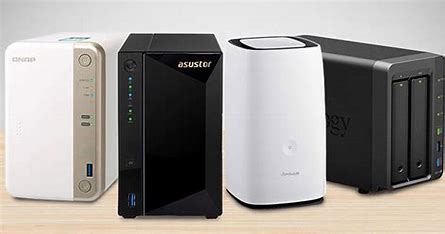
Some well-known NAS storage brands
- Synology
- Western Digital My Cloud
- ASUSTOR
- QSAN NAS
- ReadyNAS
- TerraMaster NAS
How do you recover data on a NAS?

To recover data on a NAS, follow these steps:
- Step 1: download and install EaseUS Data Recovery Wizard on a Windows computer. Choose “Recover from NAS”, select the NAS device and click “Scan”.
- Step 2: enable the SSH service on the NAS (Control Panel > Terminal & SNMP). Note the remote access port.
- Step 3: connect to the NAS remotely in EaseUS Data Recovery Wizard. Enter the username, password and access port.
- Step 4: recover lost/deleted NAS data as follows:
- Select the lost NAS files.
- Apply a filter or search for files.
- Click “Recover” to save the files to a different location.
Overall, a NAS is a smart data storage solution that brings many benefits to any business. With its ability to meet varied storage needs, high security, ease of use and cost savings, a NAS is an optimal choice for businesses in the digital era.
Contact GPIT here for detailed advice on specific devices.