



When office wifi is slow, accounting, sales and admin all complain at the same time, and you are usually the first person expected to fix it. Before you call support, a few simple tests will show whether the problem is the internet line, the wireless equipment or the way the network was designed.
Test with a network cable to separate wifi problems from line problems
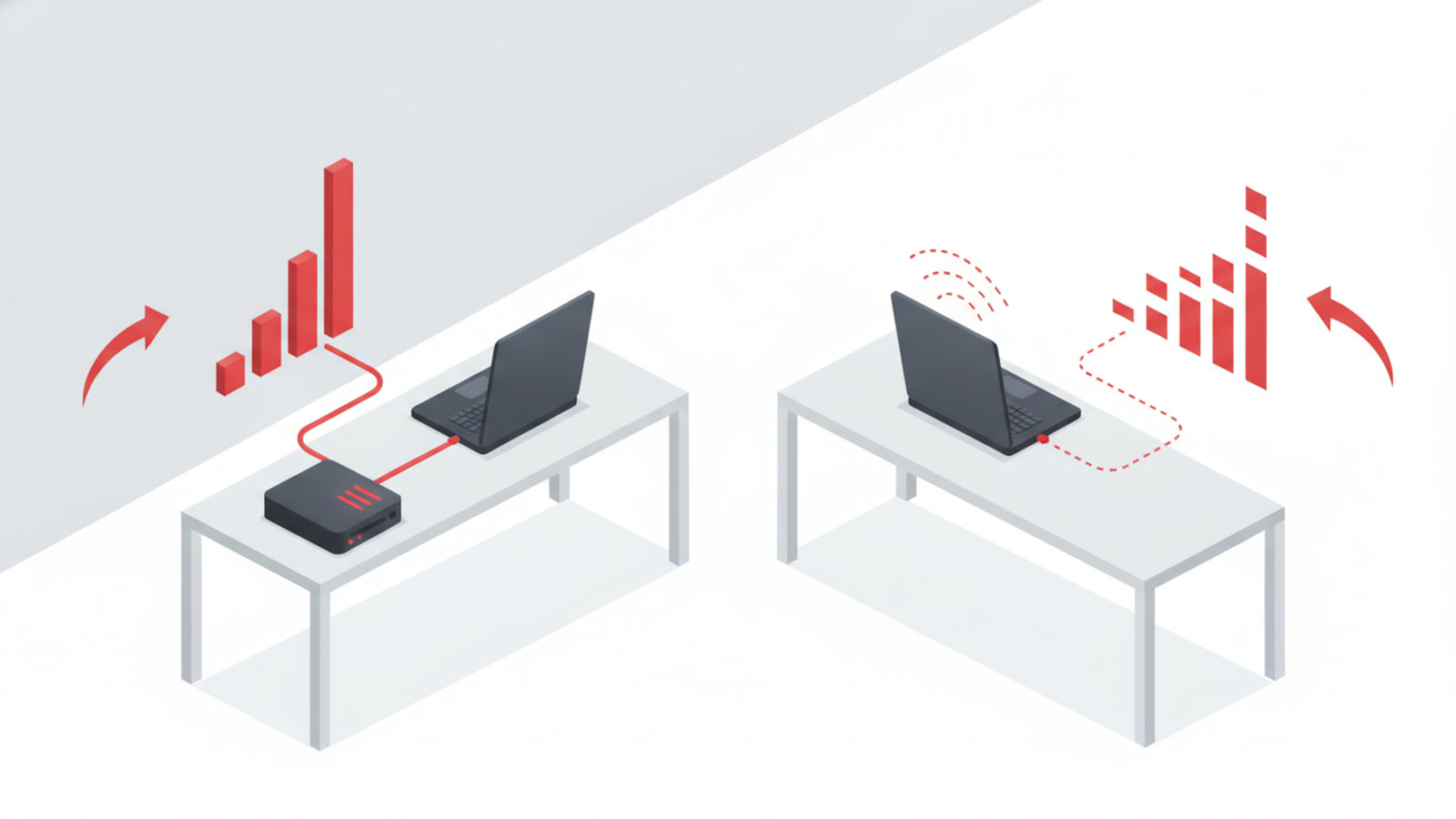
Plug a network cable from one computer straight into the modem or the nearest switch, then run an internet speed test. Next, run the same test over wifi from the same spot.
- Slow over the cable too: the problem is the internet line or the modem. Contact your internet provider.
- Fast over the cable, slow over wifi: the problem is the wireless side. Read the sections below.
Why office wifi is slow and how to fix it
Access point in the wrong place
An access point inside a closed cabinet, behind a steel filing cabinet, against a thick wall or in a far corner of the office will give weak signal right where your staff sit. Move it up high, into an open spot close to where people work, then test again.
Too many devices on one access point
Laptops, phones, printers, cameras and time clocks all connect to the same unit. Home-grade access points often struggle once the office fills up. Open the access point’s admin page, look at the list of connected devices and remove the ones you no longer use.
Interference from nearby wifi
In a building with many offices, each one has its own access point and the signals overlap. The 5 GHz band has less interference but a shorter range, while 2.4 GHz reaches farther but picks up more interference. Try connecting the computers near the access point to 5 GHz, and switch the broadcast channel to one that fewer people use.
Old or outdated equipment
An access point that runs nonstop for years tends to overheat and freeze. Restart it once, check for new firmware and read the network port specs on the label of the device. If you can’t remember when you last replaced it, that is a hint in itself.
One computer or app hogging bandwidth
A computer that is updating its operating system, syncing a cloud folder or uploading a large backup during work hours can slow down the whole network. If wifi is only slow at a certain time of day, ask which machines are running heavy tasks then.
When the problem is the network design
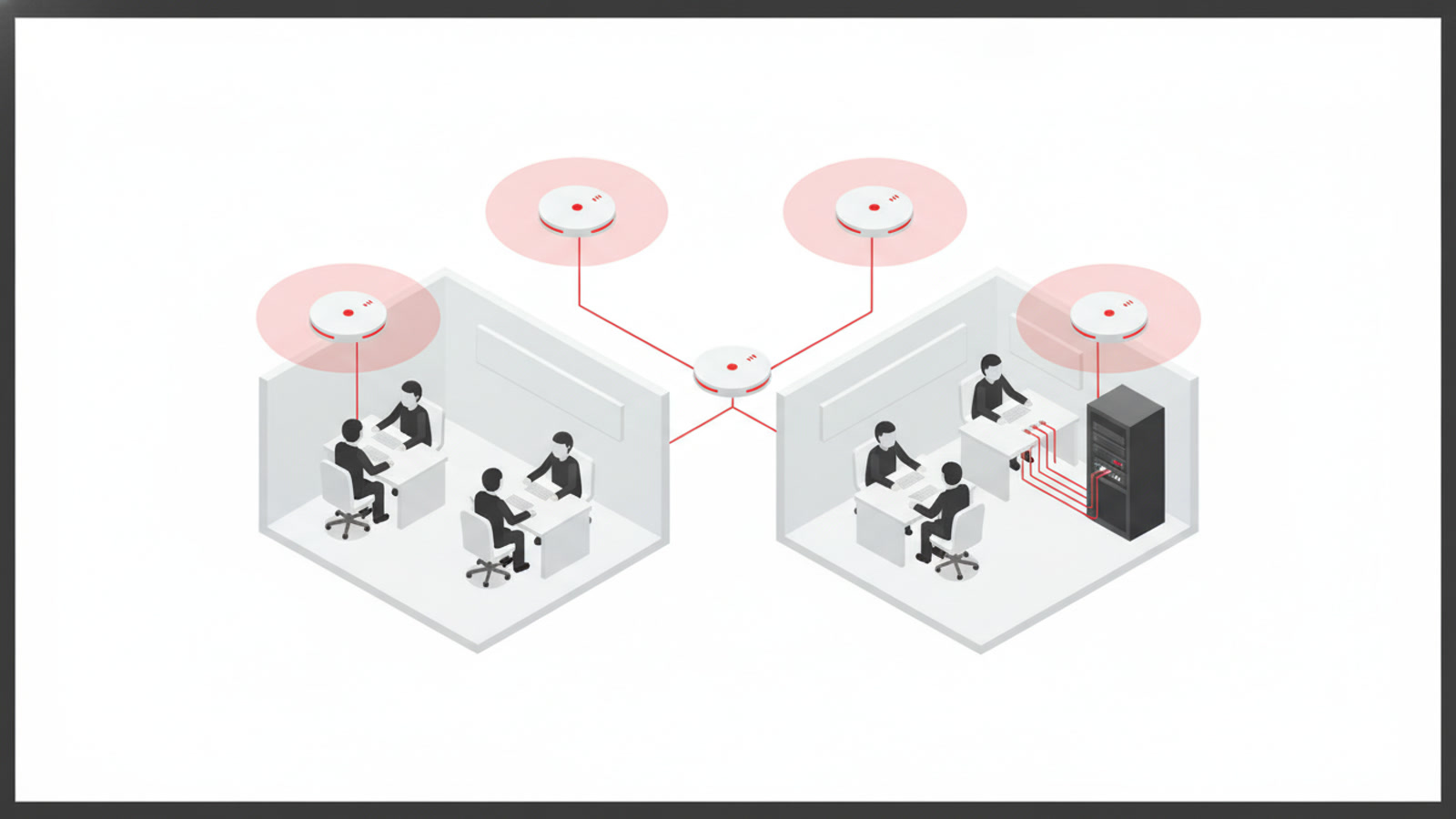
If you have already moved the access point, restarted it and updated it, and wifi is still slow, the problem most likely lies in how the network was set up in the first place. Common signs:
- It is slow in one fixed area, even after you change the access point’s position.
- You bought extra access points, but the connection still drops when staff walk from one room to another, because each unit works on its own and they don’t coordinate.
- The internet is fast, but opening files on the server or internal NAS is slow, which means the bottleneck is in the internal network.
- Old cabling or a low-end switch limits the speed of the whole system, even with a new access point.
- Every device, from computers to cameras, sits on one network and is not split into groups.
These cases need someone who works on network infrastructure: a site survey, several access points wired back to a switch, a network split by device group, and re-cabling where needed. This is the kind of work Giải Pháp IT does for businesses in network infrastructure.
What to prepare before calling support
Noting down a few details will help the technician diagnose the problem faster:
- The speed test results over the cable and over wifi.
- The area and the time of day when wifi is slowest.
- The number of people and devices using the network at the same time (a rough estimate is fine).
- The model name, or a photo of the label, of the access point and switch you use.
Frequently asked questions
Will restarting the access point fix it?
Sometimes, especially if the device has been running for a long time. If the slowness comes back after a few hours or a few days, the cause is usually deeper than a frozen device.
Will a more expensive access point solve the slowness?
Not necessarily. If the problem is placement, channel interference, or old cables and switches, a new device will be just as slow as the old one.
Why is wifi slow only in the afternoon?
Usually because many people are online at once, or background tasks such as syncing, updates and backups run at that time. Try to find out which computer is doing the heavy transfer.
Should I use a wifi extender to fix it?
It can work as a temporary fix for a small area. For a busy office, several access points wired back to a switch usually fit better, because a wireless extender can reduce bandwidth.
If wifi is still slow, talk to Giải Pháp IT
If you have tried the steps above and your office wifi is still slow, send your test results to Giải Pháp IT by hotline 0945 886 818 or email info@gpit.vn. Our office is at 32 Trương Phước Phan, Bình Trị Đông, TP.HCM. More information is available at gpit.vn.